What website content management system is best in 2026?
A content management system is generally required for any site that plans to have content editors adding new or editing existing content somewhat regularly. It depends on your needs, but it's hard to beat the gold standard: WordPress.
My requirements for the best CMS
- Free and open source: my shortlist of CMSs have proven that open source is sustainable and a good way to get more contributions, features, and support
- Editor experience: it's important that building a site or writing code does not get in the way of writing content
- Developer experience: support easy modifications or additions to features
- Site administrator experience: updating the software should be streamlined
- User experience: a CMS should not negatively impact the end user
- Plugin ecosystem: supports common features through a community plugin ecosystem
- Database management: how easy is it to manage, secure, and maintain the database?
- Repeatability: it should be easy to make and support multiple sites, with some shared features
- Hosting: simple to self-host and maintain the hosting environment
Feature | WordPress | Directus | TinaCMS | Drupal |
Free and open source | Yes | Yes | Yes | Yes |
Editor experience | Good | Great | Excellent | Decent |
Developer experience (primary language) | Good (PHP / React) | Great (headless / JS) | Great (headless / JS) | Good (PHP) |
Site administrator experience | Great | Good | Good | Good |
User experience | Depends | Depends | Depends | Depends |
Plugin ecosystem | Excellent | New | Limited | Great |
Database management | Great | Good | Not applicable | Good |
Repeatability | Great | Decent | Good | Good |
Hosting | Great | Good | Decent | Great |
WordPress
WordPress powers about 43% of the internet's websites and for good reason:
- It's been around for 20+ years, giving it time to grow as a platform
- There are many affordable hosting options
- Site building plugins make it easy for non-developers to build simple brochure sites
- The plug-in ecosystem is extensive and supports an overall turn-key solution
- The multisite feature makes it easy to create and maintain multiple sites
- The editor experience has improved with Gutenberg (but there are better options!)
- Support for ecommerce through the WooCommerce plugin typically works out of the box as long as your theme supports it
- Plugin, theme, and core updates can be as simple as clicking a button in the CMS
- Password protection, can be headless, scheduled posts, preview links, a lot of theme options, and more!
Directus
Directus is a lesser-known CMS that has a lot going for it, and quickly making improvements. As a headless CMS, you are required to bring your own front-end, which requires some coding, but it offers great features.
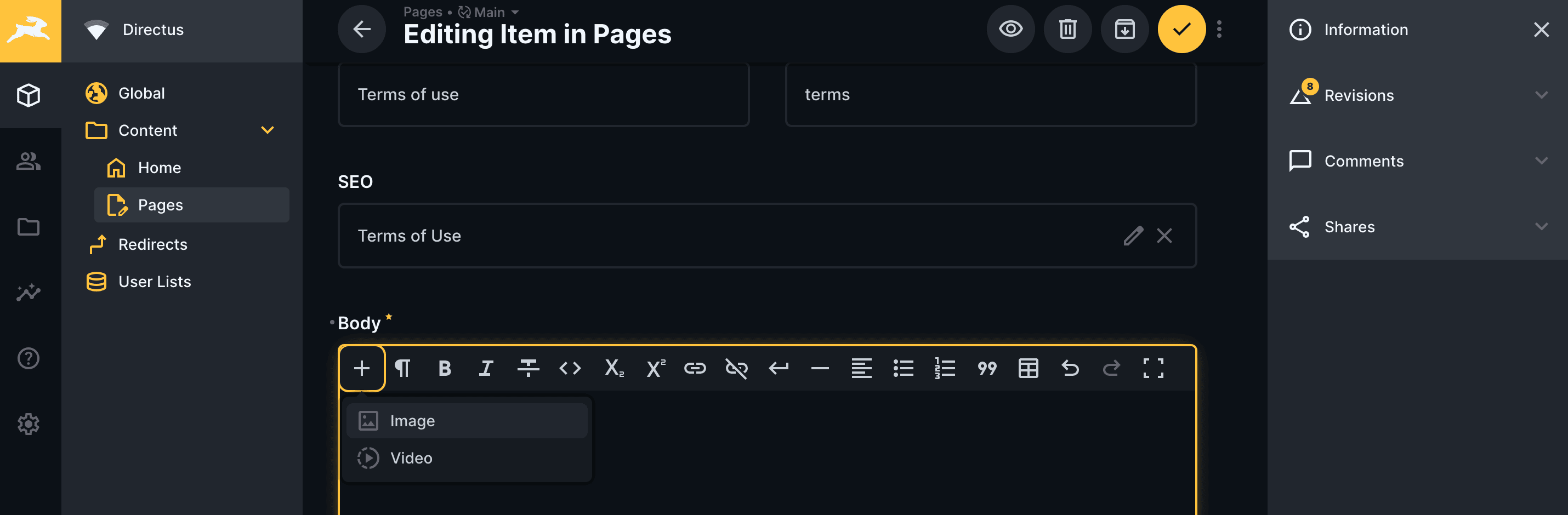
- A preview feature that lets you see content changes beside the editor after you save the page; it's notably not a “live preview” as you have to save the page before seeing your change and your front end must support server rendering
- As it's headless by design, you can bring your preferred tech stack and build your own front end
- Many features offered by WordPress are available with Directus, such as scheduling posts, previewing or reviewing posts, revisions, etc.
- Similar to Drupal, there is more setup required than WordPress, but it can be powerful and extensible
- Offers a way to add new components that can be written using any preferred framework such as Vue.js
- Supports versions of content that can be used to draft new versions of a page for review or internationalization/translated content
- Creating multiple sites isn't as easy to repeat as a WordPress or Drupal multisite is
- Updating the CMS requires pulling a new Docker image and deploying it to your host
- It has a nice default user interface
TinaCMS
TinaCMS is different from your typical content management system because it stores content right next to the code in the codebase. Using content structures similar to statically generated sites, it provides an editing interface to interact with those markdown files. This makes integration with modern front-end tools seamless which is great for the development experience and it doesn't negatively impact the editing experience.
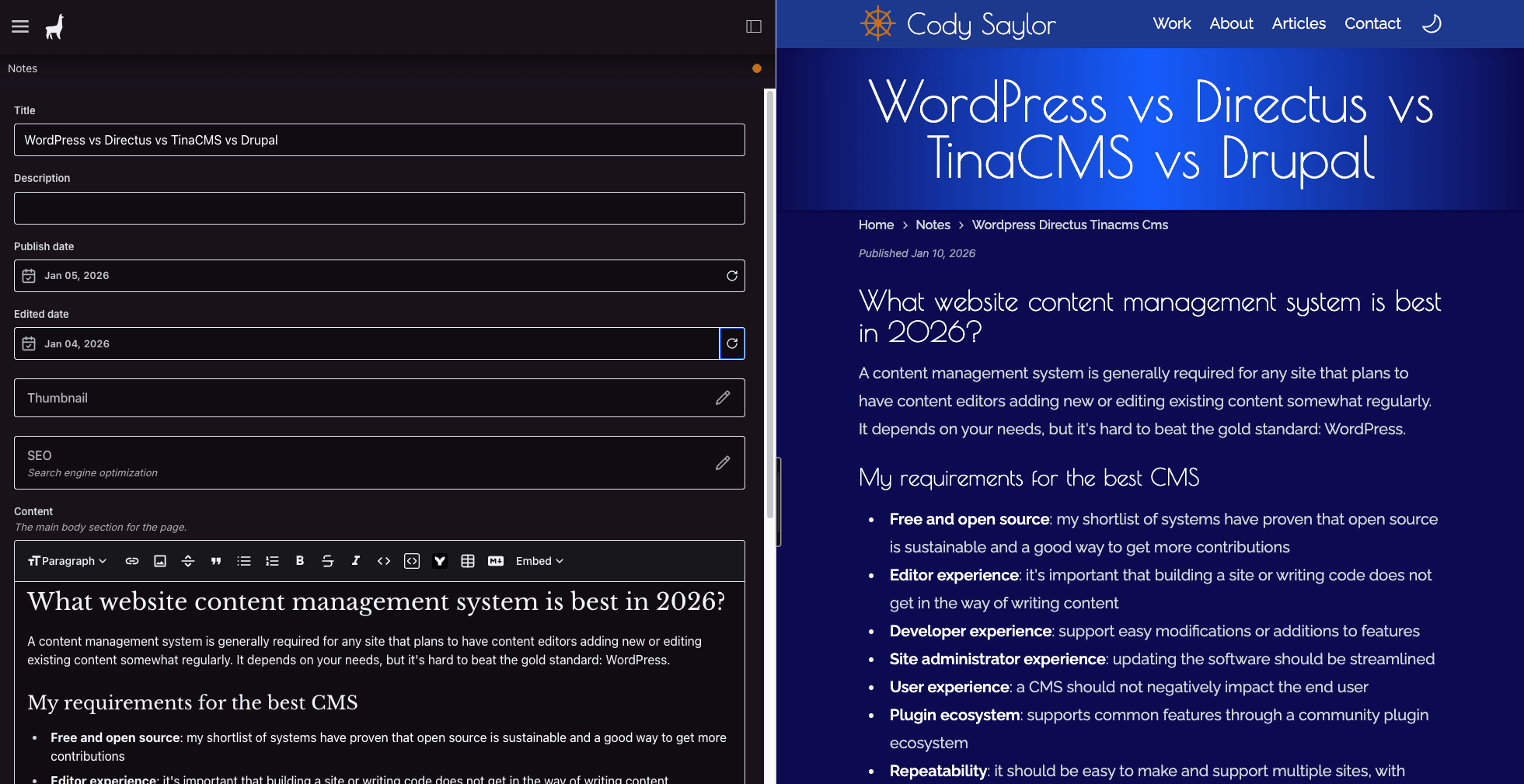
Some notable features of TinaCMS include:
- Live editing renders what you add into the editor immediately on your screen for preview, including in custom components using
mdxfiles. The ultimate editing experience! - Self-hosting TinaCMS requires some set up, and there are some limited features you might expect out of a CMS, such as the inability to natively schedule posts and limited plugin ecosystem
- Updating the CMS requires updating a node package and re-deploying
- Content is stored in the codebase as markdown. This is a refreshingly simple way to track revisions and store content and configuration.
Drupal
Drupal has been innovating for just as long as WordPress and is a great CMS option - particularly for larger, enterprise organizations.
- Requires initial architecture/planning, similar to the others
- Opinionated “Drupal” ways add convenience and specificity into your builds
- Great for enterprise solutions since it's built for scale, complexity, and governance
- Secure and accessibility focus
- Built for long-term stability with a proven track record
- Modules, themes, and core updates are typically managed with composer and re-deploying
- Also supports headless/decoupled builds
Conclusion
All of these CMS choices are great to use, but each should be considered based on your use case and expected users. I try to balance the user, editor, and developer experiences when selecting a CMS. My ultimate factors boil down to these questions:
- Who will be editing the content and what is their technical involvement?
- Who will be maintaining the site and/or creating new features or fixing bugs?
- How custom or complex do the features need to be?
After considering these questions and requirements, select the best option. All four of these are great options, but which you choose should be informed by these factors.